Which file and what the colours mean
Laser software opens SVG and DXF. You get them from the laser box and from generators like sign and keychain, QR code and stars and snowflakes. The “As laser cut” view shows beforehand what the sheet looks like after lasering.
- Red means cut: thin lines the laser goes all the way through.
- Black means engrave as an area, blue engrave as a line.
- In LightBurn, xTool Creative Space and similar programs you set power and speed for each colour.
Laser and material
In the “Your laser” box you choose your laser, its power, the material and its thickness. From that, the page works out starting values and shows the preview.
- Diode laser: usually 5 to 40 W. Good for wood, cardboard and dark acrylic.
- CO₂ laser: usually 40 to 150 W. Also cuts clear acrylic and gets through thicker wood faster.
- Measure your material: 3 mm plywood is often 2.8 to 3.2 mm thick. Enter the real thickness.
- No PVC and no faux leather: Lasering them releases toxic, corrosive gas.
Kerf: so the joints fit tightly
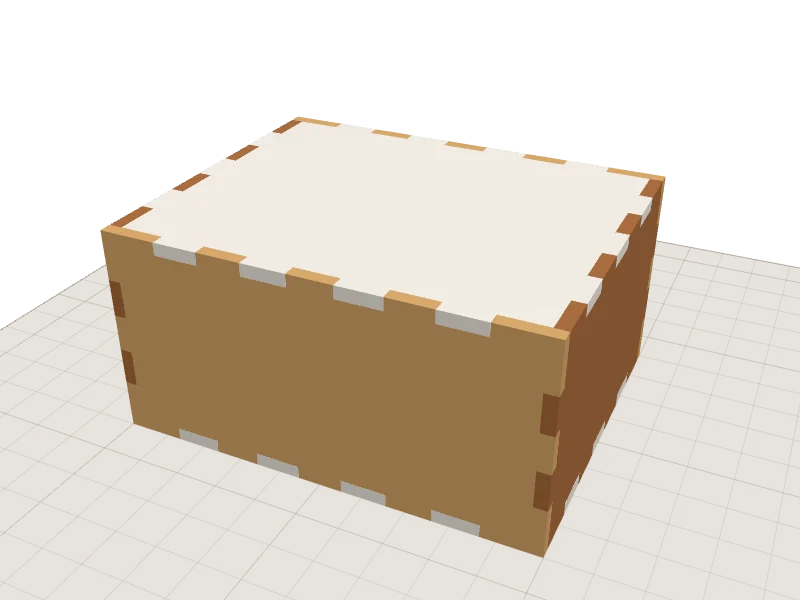
The laser beam burns away a narrow gap, the kerf. In the laser box you set it under “Kerf”: each part gets half of it added so the finger joints sit tightly. Diode lasers are about 0.1 mm, CO₂ lasers 0.1 to 0.2 mm.
- Enter “Thickness” and “Kerf” and download the SVG.
- Cut a test corner from a scrap piece first.
- If the joints are loose, raise the kerf; if they are too tight, lower it.
Engraving
A logo, a name or a picture is engraved onto the part, on the laser box onto the lid or the front. Your picture stays in your browser and is never uploaded.
- “Engraving strength”: how dark and deep the engraving gets. The preview shows it.
- “Outline only” is much faster: the laser traces the outline only once.
- Simple motifs on a plain background come out clearest, for example a logo or a drawing.
Starting values and the first test
The starting values in the “Your laser” box are values to try out: every laser is a little different. They are also written into the SVG.
- Test on a scrap: Cut a small square from the same material.
- Not all the way through? More power, less speed or one more pass.
- Edges badly burnt? Less power, more speed, and switch on air assist if your laser has it.
Laser safely
- Never leave it alone: Wood and cardboard can catch fire. Stay close and keep a fire extinguisher at hand.
- Safety glasses: With open lasers, wear glasses made for your laser's wavelength.
- Ventilate: Lead the smoke outside or extract it.
- Only known materials: If you don't know what a sheet is made of, don't laser it.
Ideas
A laser box with a name on the lid as a gift, wooden key tags, stars and snowflakes for the tree or ready-made models in the library.